How to Send CRM Bookings Back to Meta (Conversions API for Lead Businesses)
If Meta only sees form fills, it finds you more form fillers. Here is how lead-based businesses like resorts, clinics and real estate can send CRM stages back to Meta so it optimises for people who actually buy.
Every lead-based business that runs Meta Ads eventually hits the same wall. Lead costs look great. Then the sales team says half the leads don't pick up, the other half "were just checking", and almost nobody buys.
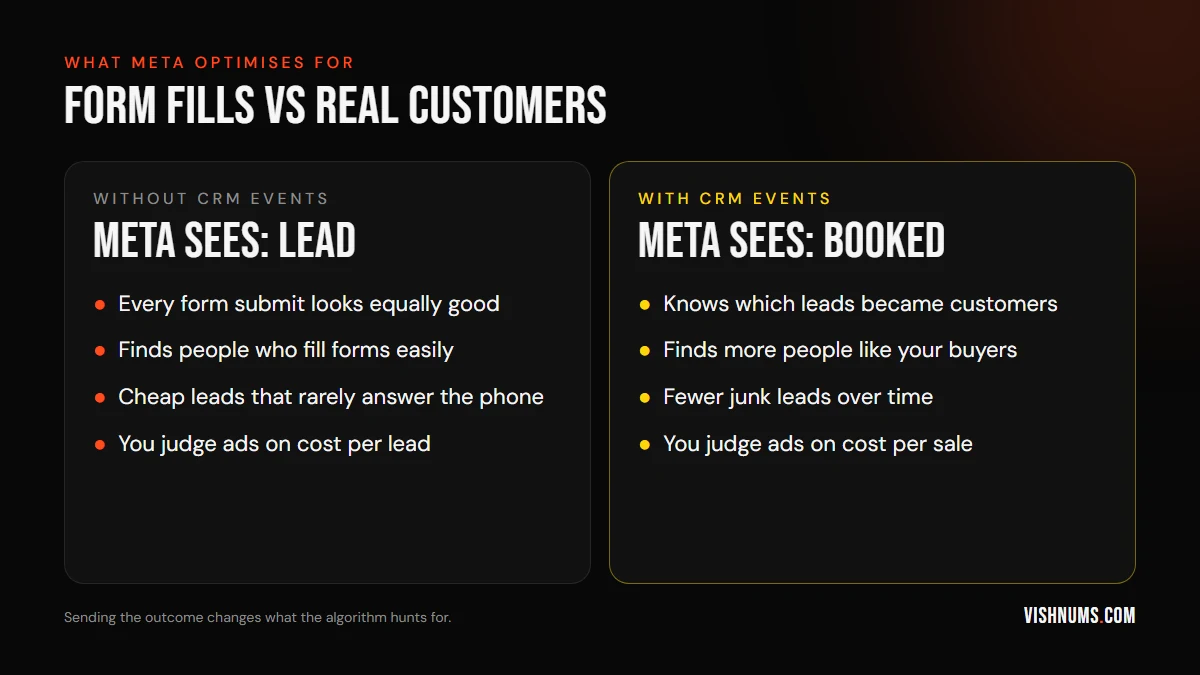
The root cause is usually simple: Meta only knows about the form fill. It has no idea which of those leads became paying customers, so it keeps finding more people who like filling forms. The fix is to send your sales outcomes back to Meta. This guide explains how that works for resorts, hotels, clinics, real estate, education and any business where the sale happens after the lead.
Why this matters: Meta optimises for what you tell it
When you run a lead campaign, Meta's algorithm looks for people likely to complete your objective. If the objective is "Lead", it gets very good at finding people who submit forms. Some of those people are buyers. Many aren't.
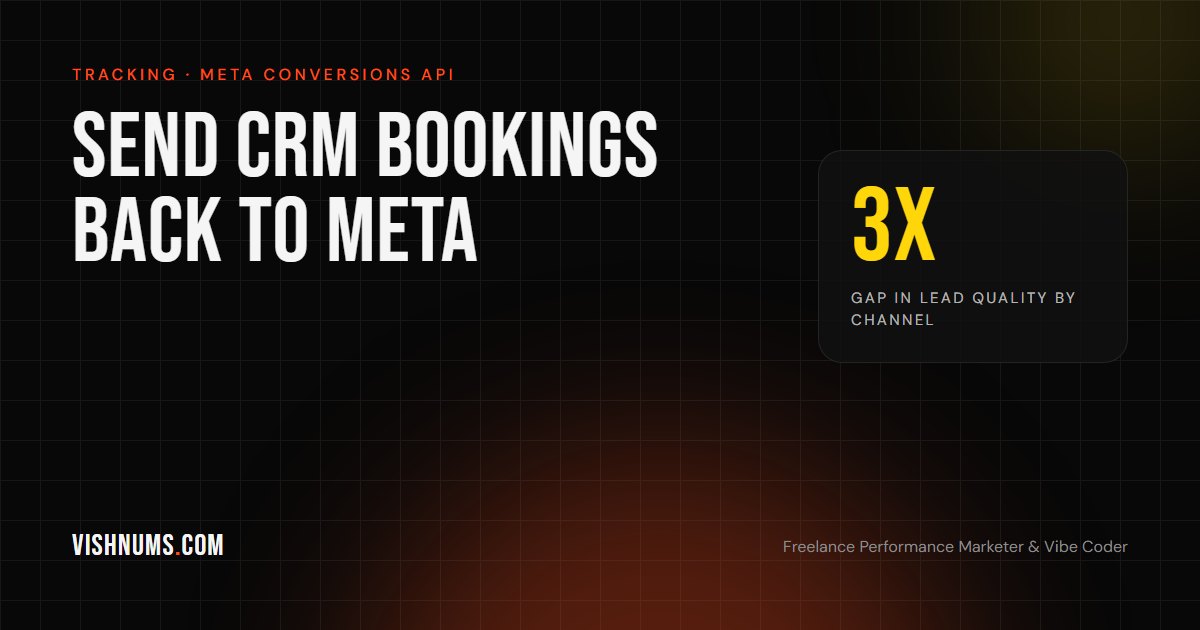
The gap can be large. At the Munnar resort I run ads for, Google Ads leads book at 5.6% while Meta leads book at 1.7%. That's more than three times the difference in quality, from the same resort and the same follow-up team. Meta still produces most of the resort's volume, at a ₹45 blended cost per lead, so cutting it isn't the answer. Teaching it which leads are good is.
How it works
The idea is to close the loop between the ad, your CRM and Meta:
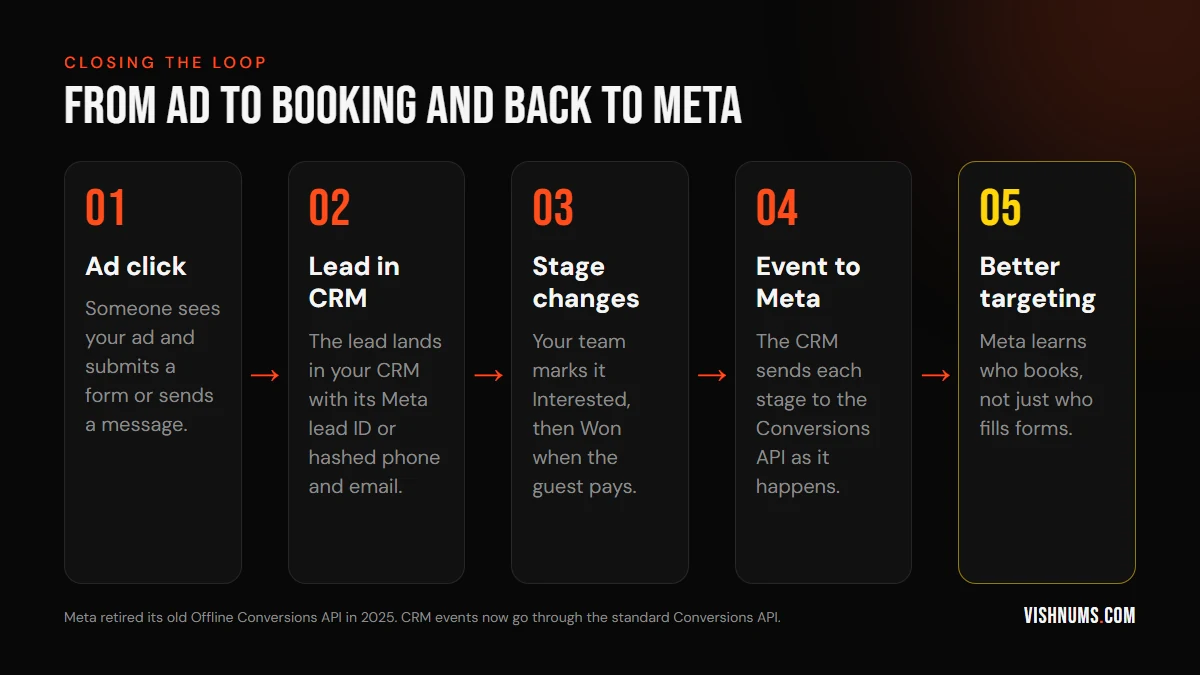
- 01Someone clicks your ad and becomes a lead.
- 02The lead lands in your CRM along with an identifier: the Meta lead ID for instant form leads, or their phone number and email.
- 03As your team works the lead, its stage changes: contacted, interested, booked.
- 04Each stage change is sent to Meta through the Conversions API.
- 05Meta matches the event to the person who saw the ad, and starts finding more people like the ones who book.
A note on the old Offline Conversions API
If you've read older guides, they'll tell you to upload offline events or CSV files to an "offline event set". Meta discontinued its separate Offline Conversions API in 2025. CRM events now go through the standard Conversions API, using Meta's CRM integration format. Check Meta's current developer documentation for the exact fields before building anything.
What you need before you start
- A CRM where every lead gets a stage. If your team doesn't update stages, there's nothing to send. Start with the pipeline in my guide to following up resort enquiries: Fresh, Ringing, Interested, Won or Lost.
- Leads captured with an identifier. Instant form leads come with a Meta lead ID. For website or WhatsApp leads, store the phone number and email so they can be hashed and matched.
- A Meta dataset (pixel) and access to Events Manager.
- A way to send events: your CRM's built-in Meta integration, a connector tool, or a small custom script.
Step by step
1. Decide which stages to send
Don't send everything. Send the stages that matter and happen reliably:
- Lead (the raw lead, so Meta can connect the later stages)
- Qualified or Interested (you spoke to them and they're a real prospect)
- Converted or Booked (they paid)
Meta's CRM integration guide recommends sending stages as they're updated, including the raw lead.
2. Map your CRM stages to event names
Use consistent names. "Interested" in your CRM might map to a "Qualified Lead" event, and "Won" to a "Converted" or purchase event with the booking value attached.
3. Send events with the right identifiers
Each event should include the lead ID (for instant forms) or hashed customer details like phone and email, the time the stage changed, and the value for bookings. Personal details must be hashed before sending. Most CRM integrations handle this for you.
4. Send them on time
Send each event soon after the stage changes. The event time must come after the lead was created, or Meta may discard it. If your sales cycle is long, that's fine. Meta can still use events weeks later, but faster is better.
5. Check Events Manager
After a few days, open Events Manager and look at the event match quality and how many events were received. If matching is poor, check that phone numbers include the country code and that emails are normalised before hashing.
6. Change what your campaign optimises for
Once Meta is receiving enough deeper-stage events, you can test optimising for a qualified or converted lead instead of the raw lead, using Meta's conversion leads optimisation. Expect cost per lead to rise. What should fall is your cost per real customer, which is the number that pays the bills.
Common mistakes
- Sending junk as "qualified". If everyone gets marked Interested, Meta learns nothing. Keep stage definitions strict.
- Only sending wins. If you have very few bookings each week, Meta has too little data. Sending an earlier, more frequent stage (like Qualified) helps.
- Forgetting the value. For bookings, pass the booking amount so you can see ROAS by campaign in Ads Manager.
- Never checking match quality. Badly formatted phone numbers silently break matching.
Is it worth it for a small business?
If you spend a meaningful amount on Meta lead ads every month and your team already records outcomes, yes. It's one of the few changes that improves lead quality at the source instead of just filtering bad leads afterwards. If you don't record outcomes yet, start there. That alone will tell you which campaigns produce customers.
The same idea works for ecommerce. Send delivered orders instead of every purchase, as explained in how to reduce RTO on COD orders from Meta ads.
Frequently asked questions
What is Meta's Conversions API?
It's a way to send events to Meta directly from your server or CRM, rather than from a browser pixel. For lead businesses, it lets you report what happened after the lead, such as a qualified call or a booking.
Is the Offline Conversions API still available?
Meta discontinued its separate Offline Conversions API in 2025. Offline and CRM events are now sent through the standard Conversions API.
Will this lower my cost per lead?
Usually not, and it isn't meant to. It should lower your cost per customer by steering Meta towards people who actually buy, even if each lead costs a bit more.
Want help connecting your CRM to Meta, or building the dashboard that shows which campaigns produce customers? That's exactly the kind of work I do as a performance marketer and vibe coder. Get a quote.
Ads, a website that converts, or both: get a custom quote.