GST on Meta Ads in India: How to Get a Proper Invoice and Claim Input Tax Credit
Meta adds 18% GST to your ad spend in India. With the right billing setup you can claim it back as input tax credit. Where the GSTIN goes, how to read the invoice, and the mistakes that cost businesses money.
Every Indian business that runs Facebook or Instagram ads pays GST on that spend. Many never claim it back, either because the GSTIN was never added to the ad account or because nobody downloads the invoices. On a budget of ₹1 lakh a month, that's ₹18,000 of tax every month that could have been an input tax credit.
This guide covers the practical side: where the GSTIN goes, what a correct invoice looks like, and the mistakes I see most often in Indian ad accounts.
Note: this is practical guidance from running ad accounts, not tax advice. GST rules and Meta's billing setup change. Confirm the treatment of your invoices with your chartered accountant.
Why Meta charges GST on your ads
Online advertising is a taxable service in India at 18% GST. When Meta bills an Indian advertiser, the GST is added on top of what you spend. If you set a daily budget of ₹1,000, you'll be charged around ₹1,180.
For a GST-registered business, that 18% doesn't have to be a cost. Advertising is used to run your business, so the GST paid on it is normally eligible for input tax credit (ITC), provided the invoice is in your business's name and carries your GSTIN.
Step 1: Add your GSTIN before you spend
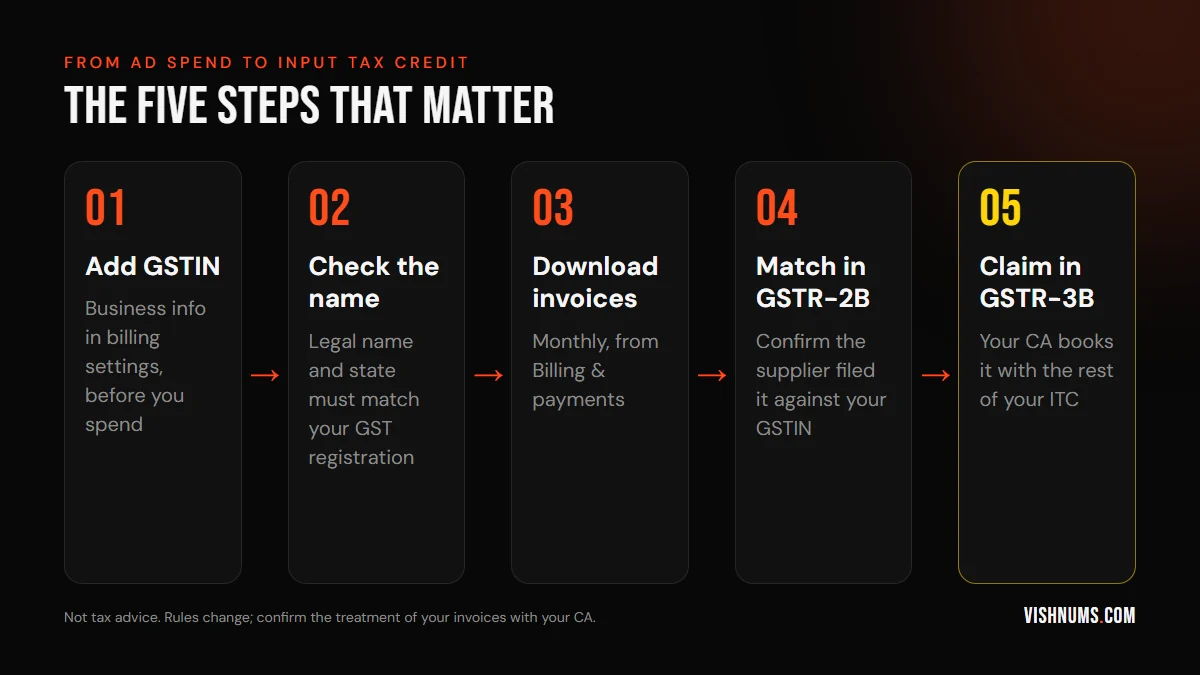
In Meta Business Suite, go to Billing & payments, open the ad account's payment settings and find the business information section. Add:
- Your business's legal name exactly as it appears on your GST registration
- Your GSTIN
- Your registered address, including the correct state
The state matters. It decides whether the invoice shows IGST or CGST + SGST, and a mismatch is one of the most common reasons an invoice doesn't line up with your GST records.
Invoices are generated from the details on the account when the charge happens. Adding the GSTIN today doesn't rewrite last month's invoices, so do this before the first rupee is spent, not at year end.
Step 2: Make sure the right account pays
A common mess in small businesses: ads run from the owner's personal ad account, paid with a personal card, while the GST registration belongs to the company. The invoice then goes to an individual, not the business.
Keep one ad account per business, owned by that business's Business Manager, with the GSTIN and the company's payment method on it. If an agency or freelancer runs ads for you, they should run them in your ad account, so the invoices come to you. That's also how you keep the data if you change partners later. See freelance performance marketer vs agency for more on account ownership.
Step 3: Download invoices every month
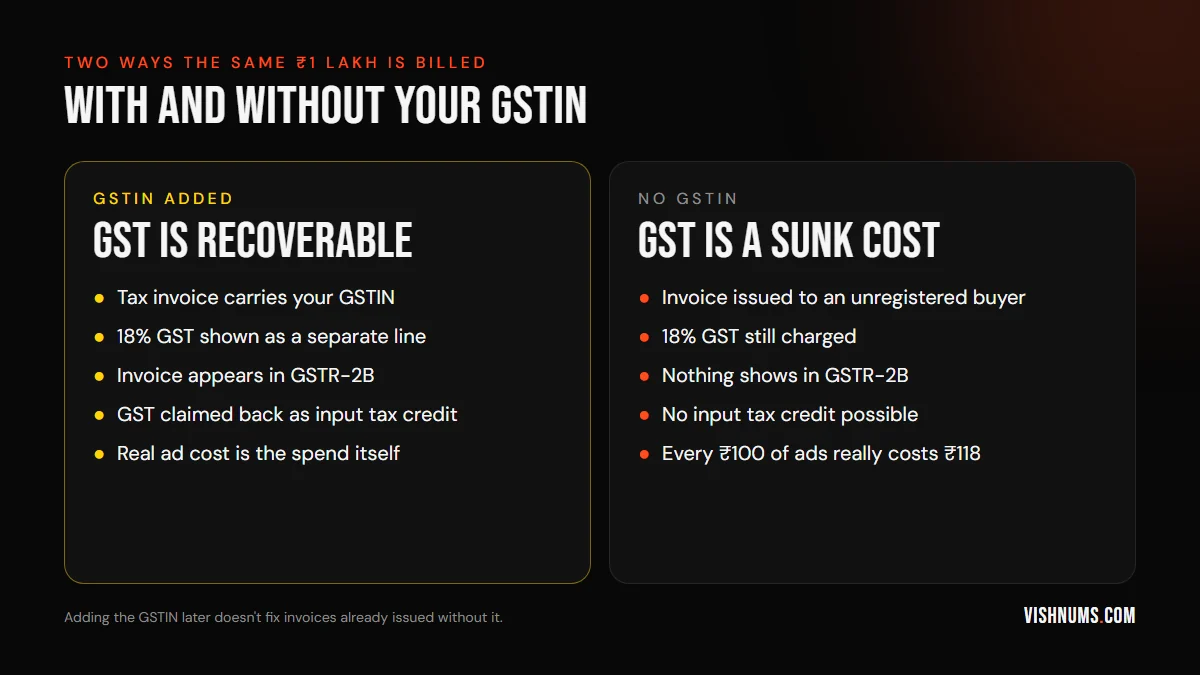
Under Billing & payments you can see every charge and download invoices for each one, or a monthly summary. Make this a monthly task, the same week your accountant closes GST:
- 01Download all invoices for the month.
- 02Check that each one shows your legal name and GSTIN.
- 03Send them to your accountant with your other purchase invoices.
- 04Ask them to confirm the invoices appear in GSTR-2B. That's what your input tax credit depends on.
If you pay by card with automatic billing, you may get several charges a month as you hit your billing threshold. Each charge has its own receipt, so a monthly download is easier than chasing them one by one.
What to check on the invoice
Look for these on every invoice:
- Supplier name and GSTIN. Check which Meta entity billed you and whether it shows an Indian GSTIN. Your CA needs this to decide how the invoice is treated.
- Your name and GSTIN. Exactly as registered.
- Place of supply. Should match your registered state.
- Tax breakup. The GST amount shown separately from the ad value.
If the invoice comes from a foreign entity with no Indian GST charged, the treatment is different: the transaction may be an import of services, where you pay GST under reverse charge yourself. That's exactly why a CA should look at a sample invoice once, so you know which way your account works.
Mistakes that cost Indian businesses money
- 01Never adding the GSTIN. The most common one. The 18% simply becomes part of your ad cost.
- 02Ads on a personal account. The invoice is in the owner's name and can't be used by the company.
- 03Wrong state in the address. IGST vs CGST + SGST doesn't line up with the registration.
- 04Losing invoices. Nobody downloads them, and by the time the accountant asks, the year is over.
- 05Judging ads on the wrong cost. If you can't recover GST, your real cost is 18% higher than Ads Manager shows. Use the real figure when you work out break-even ROAS.
What about Google Ads?
The same principle applies. Add your GSTIN in Google Ads billing settings, download monthly invoices, and have your CA match them. If you run Google for a resort or hotel, see Google Ads for resorts in Kerala for the campaign side.
Frequently asked questions
Does Meta charge GST on ads in India?
Yes. Advertising is taxed at 18% GST in India, and it's added on top of your ad spend. What you see as spend in Ads Manager doesn't include it.
Can I claim input tax credit on Facebook ads?
If your business is GST-registered, the invoice is in the business's name with your GSTIN, and it appears in your GSTR-2B, the GST on advertising is normally claimable as input tax credit. Confirm with your CA.
I forgot to add my GSTIN. Can I get old invoices corrected?
Adding the GSTIN applies to new charges. Whether older invoices can be reissued depends on Meta's support at that time, so don't count on it. Add the GSTIN now so future spend is covered.
Does the GST count in my ROAS?
Ads Manager ROAS is calculated on spend before GST. If you can't claim the credit, divide your revenue by spend × 1.18 to see the real return.
Want your ad account's billing and tracking set up properly from day one? Request a quote.
Ads, a website that converts, or both: get a custom quote.