Google Business Profile for Resorts and Homestays in Kerala: A Practical Optimisation Guide
Most guests find a Kerala resort on Google Maps before they ever see its website. How to set up and optimise your Google Business Profile: categories, photos, reviews, the website link and the weekly routine.
Search "resort in Munnar" or "homestay in Wayanad" and the first thing you see is a map with three listings. Those are Google Business Profiles. For a lot of guests, that map is where the decision starts: photos, star rating, a few reviews, and then a call or a tap on "Website".
The profile is free, and it's often seen more than your website. Yet many Kerala resorts and homestays set it up once and never touch it again. This guide covers what to fix first and the small weekly routine that keeps it working.
Step 1: Make sure there's only one profile
Before changing anything, search for your property on Google Maps. Often a profile already exists, created by a guest, a past manager or an OTA. Claim the existing profile rather than creating a new one. Duplicates split your reviews and photos and can confuse Google about which one to show.
If you find two profiles for the same property, ask Google to merge or remove the duplicate from inside your Business Profile.
Step 2: Choose the right category
Your primary category tells Google what you are. Choose the most specific option that fits: Resort hotel, Hotel, Guest house, Bed & breakfast, or a homestay-type category if one appears in the list for your area. You can add secondary categories, but the primary one matters most.
Don't choose a category for something you don't really offer just to appear in more searches.
Step 3: Fix the basics
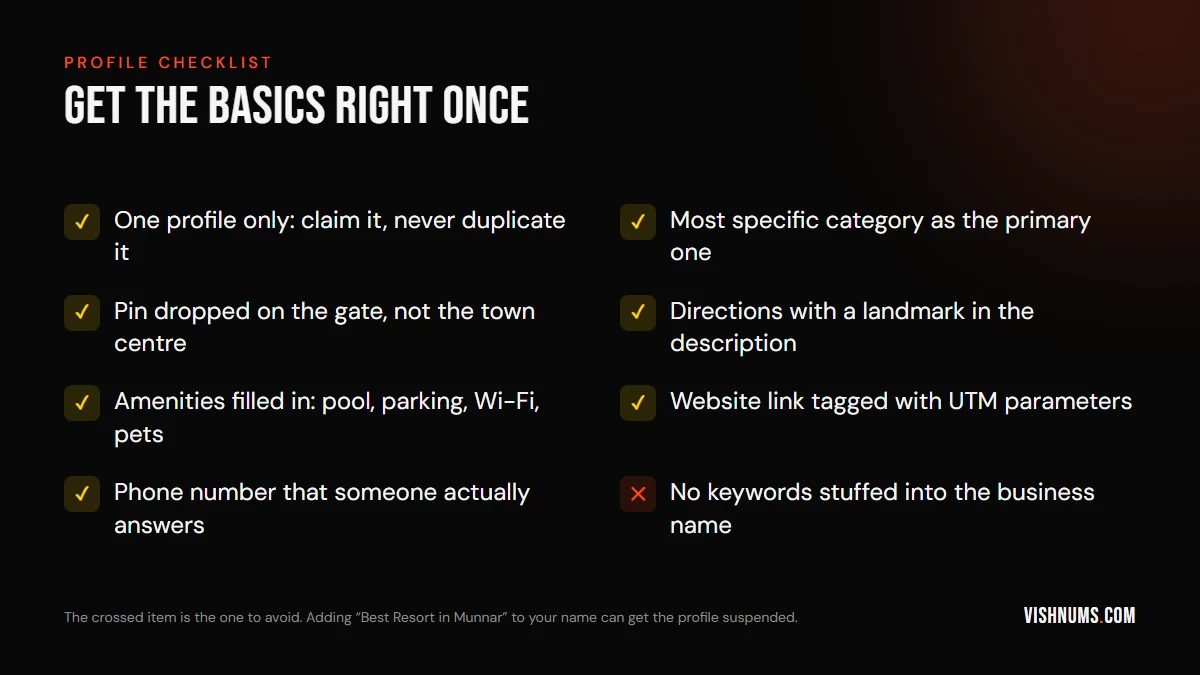
- Business name: use your real name only. "Green Valley Resort Munnar" is fine if that's what's on your sign. "Green Valley Best Luxury Resort Munnar Pool Villa" breaks Google's rules and can get your profile suspended.
- Map pin: hill properties in Kerala are often down a small road a few kilometres from town. Drag the pin onto your gate. Guests who get lost at night leave bad reviews.
- Directions: in the description, mention a landmark: "3 km after the Pothamedu viewpoint, on the left."
- Amenities and policies: fill in everything Google offers: pool, parking, Wi-Fi, restaurant, pet policy, check-in time. Guests filter by these.
- Phone: use a number that's answered during the day and evening. A missed call from the map is a lost booking.
Step 4: Track the website link
By default, visits from your profile often show up in Google Analytics as plain organic traffic, mixed in with everything else. Add UTM tags to the website link so you can see them separately:
yoursite.com/?utm_source=google&utm_medium=organic&utm_campaign=gbp
Now GA4 can tell you how many visitors and bookings came from the map listing. If your booking engine is on a different domain, read GA4 tracking for hotel booking engines so the booking isn't lost on the way.
Step 5: Photos that make people tap
Your photos compete with the resorts next to you on the map. Upload:
- The view from the best room, in daylight.
- Each room type, clean and well lit.
- The pool, restaurant and food.
- The outside of the property, so guests recognise it when they arrive.
- Seasonal shots: monsoon mist, winter mornings, the festive set-up in December.
Avoid heavy filters. If guests arrive and it looks different, they'll say so in a review. The same footage works on Instagram too. See these Reels ideas for resorts and homestays.
Step 6: Reviews are the real ranking factor
The number of reviews, how recent they are and how good they are all affect how often you appear and how often people click.
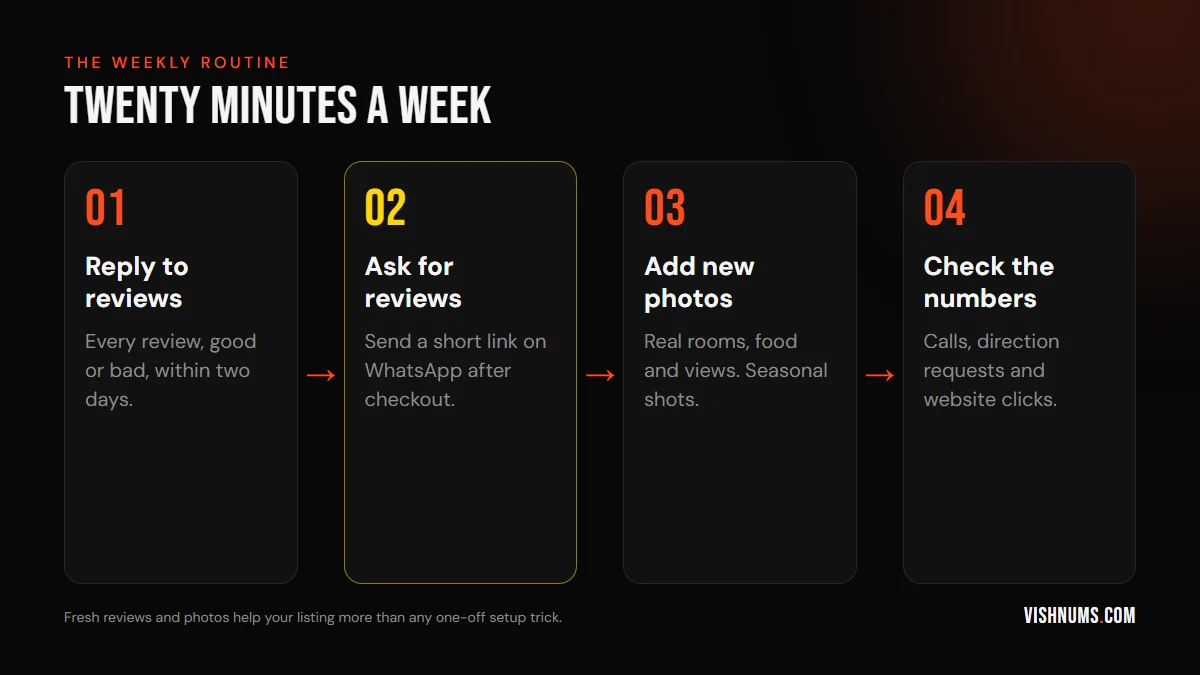
- Ask every happy guest. The best moment is just after checkout. Send a short WhatsApp message with your review link. Don't offer discounts or gifts for reviews. That's against Google's policy.
- Reply to every review. Thank people by name and mention something specific. For negative reviews, stay calm, apologise for what went wrong, and explain what you've fixed. Future guests read your replies more closely than the complaint.
- Ask for detail. "If you have a minute, mention the room you stayed in" gives you reviews that include words like "pool villa" or "tree house", which helps you show up for those searches.
Step 7: Connect bookings
Hotels and resorts can show prices and an "Official site" link directly in Google's hotel results, next to the OTAs. This uses Google's free booking links, and it needs a booking engine that's connected to Google. I explain the setup in Google free booking links for hotels in India.
How the profile fits with ads
A strong profile makes your ads work better too. People who see your ad often check your Maps listing before booking. A 4.7 rating with recent reviews closes the sale. A 3.9 with unanswered complaints loses it. For the bigger picture, see my guide to digital marketing for resorts in Kerala and, for smaller properties, how to market a homestay in Kerala.
Frequently asked questions
Is Google Business Profile free for resorts?
Yes. Creating and managing the profile is free. Paid options like Google Hotel Ads are separate.
How do I get my resort to the top of Google Maps?
Distance from the searcher, relevance and prominence decide the order. You can't change distance, but you can improve relevance (right category, full details) and prominence (more recent, positive reviews and an active profile).
Can I add keywords to my Google Business Profile name?
No. Use your real business name only. Adding keywords breaks Google's guidelines and can lead to suspension.
Want your resort's Google presence and ads managed together? Request a quote.
Ads, a website that converts, or both: get a custom quote.