Meta Ads Payment Failed in India? Why It Happens and How to Fix It
Ads stopped because a payment failed? In India the cause is usually an e-mandate, UPI autopay limit or card setting, not Meta. The common causes, the fixes, and how to stop it pausing your campaigns again.

Few things are more frustrating than a campaign that's finally working and then stops because "your payment failed". Ads pause, the learning phase resets, and in the middle of a festival sale or the peak booking week that can cost real money.
In India, the cause is almost never Meta itself. It's usually how autopay works with Indian cards and UPI. Here's how to work out what went wrong and set things up so it doesn't happen again.
Why payments fail more often in India
Indian rules require your approval (an e-mandate) for recurring automatic charges on cards and UPI. When you add a card or UPI handle to your ad account, you're approving a mandate for future charges. Any of these links can break:
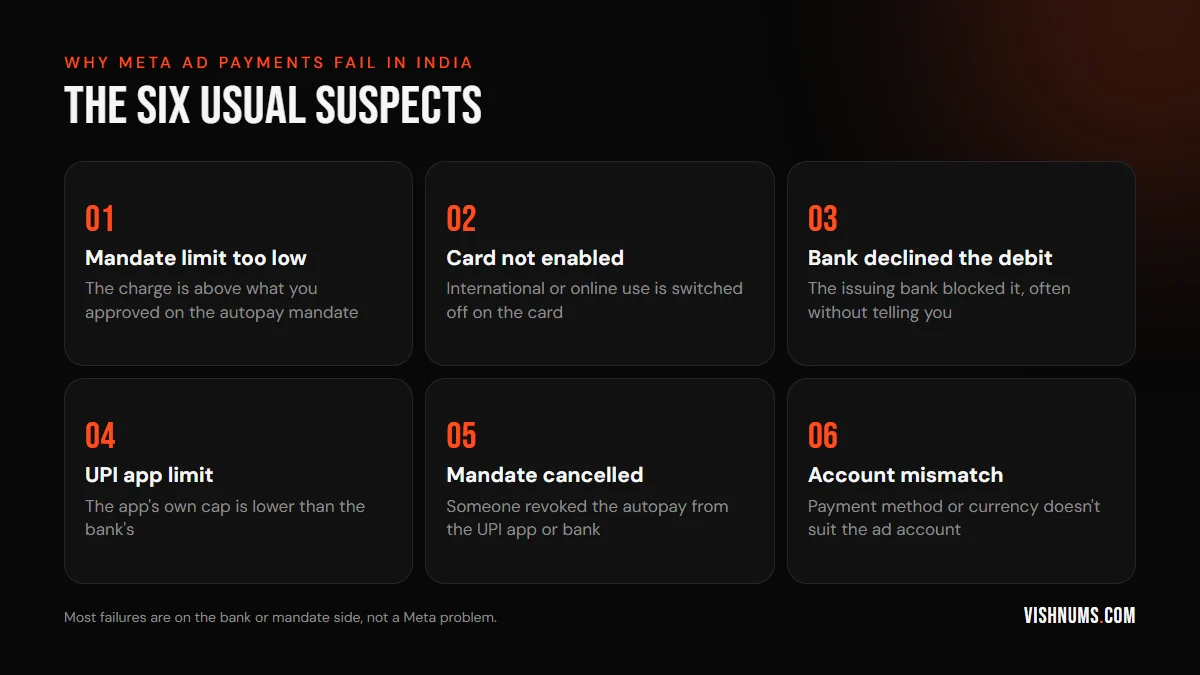
1. The charge is above your mandate limit
When you set up autopay you approve it up to a limit. If your spend grows, or Meta's billing threshold rises with your account, a single charge can end up above that limit and simply fails. This is the most common cause once an account starts scaling.
2. The card isn't enabled for online or international use
Many Indian debit and credit cards have online, international or recurring transactions switched off by default. Depending on how your account is billed, the charge may need one of these on. Check the card's settings in your banking app.
3. The bank declined it
Banks block transactions for fraud checks, daily limits or insufficient balance, often without an SMS that explains why. If everything else looks fine, call the bank and ask whether a charge from Facebook or Meta was declined and why.
4. The UPI app's own limit
With UPI autopay there can be several limits at once: your bank's, the UPI app's and the mandate's. The lowest one wins. A mandate approved for a large amount still fails if the app caps autopay below it.
5. The mandate was cancelled
Someone revoked the autopay from the UPI app or bank, sometimes while tidying up subscriptions without realising one of them was the ad account.
6. The wrong payment method for the account
An ad account set up in the wrong currency or country, or a payment method that doesn't suit it, can keep failing. If you've tried everything, check the account's currency and time zone. Neither can be changed later, so get them right when you create the account.
How to fix a failed payment right now
- 01Go to Billing & payments in Meta Business Suite and open the ad account.
- 02Check the outstanding balance and the reason shown, if there is one.
- 03Pay the outstanding amount manually with a working method. Ads won't restart until the balance is cleared.
- 04If you use autopay, remove the failing method and add it again with a higher mandate limit, or add a different card.
- 05Check that the campaigns resume. Delivery can take a little while to pick up again.
The setup that stops it happening again
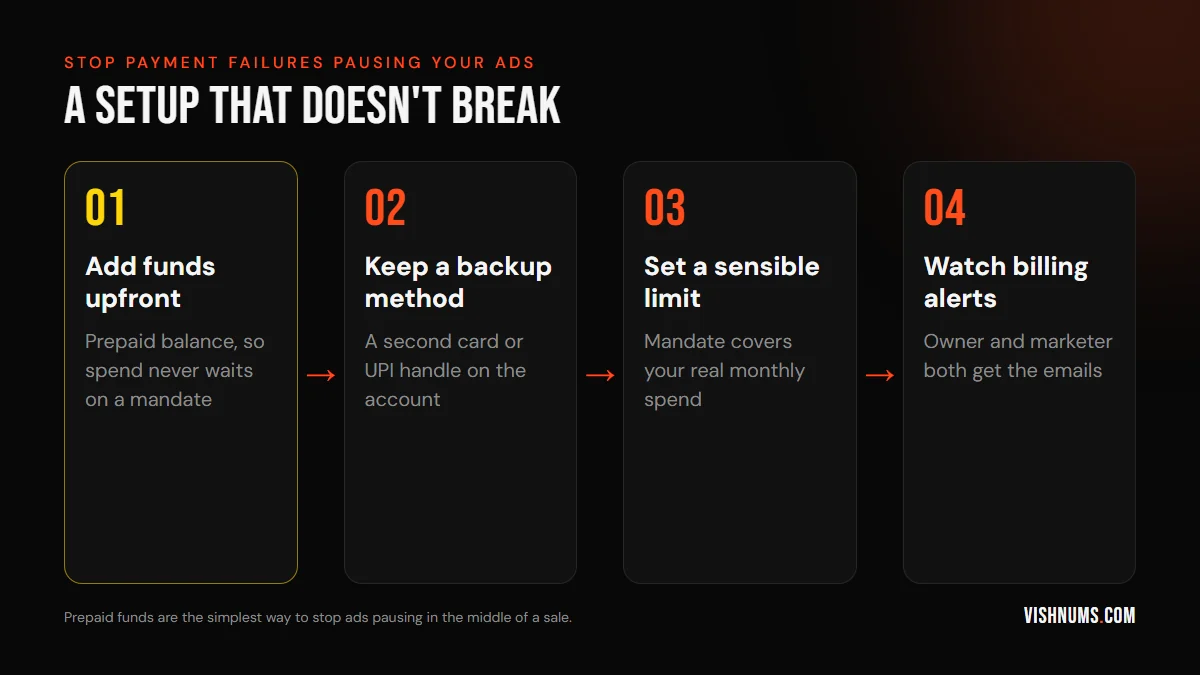
Use prepaid funds where available. Instead of Meta charging you after the spend, you add money to the ad account in advance, via UPI, net banking or card, and ads draw from that balance. No mandate, no surprise declines. Just top it up before it runs out, especially before a big campaign.
Keep a backup payment method. A second card or UPI handle on the account can stop ads pausing when the main one fails.
Set the mandate limit to your real spend. If you approve autopay, approve it for what you actually spend in a month plus a margin, not the minimum.
Make sure billing emails reach the right people. If only the agency or only the owner gets billing alerts, failures go unnoticed for days. Both should see them.
Pause sensibly before festivals. Before a planned push, like the Diwali and Dhanteras season for jewellery brands, top up prepaid funds so the account can't stop at the worst moment.
Why a pause costs more than the lost days
When ads stop, it isn't only the days off that hurt. A long pause or a big change can send ad sets back into the learning phase, and results are less stable while Meta re-learns. On small budgets that can mean weeks of learning limited all over again. Payment reliability is part of performance.
While you're in billing settings
Add your GSTIN and business details if you haven't. Without them you pay 18% GST on your ads and can't claim it back. See GST on Meta ads in India.
Frequently asked questions
Why does my Facebook ad payment keep failing in India?
Usually because a charge is above your autopay mandate limit, the card isn't enabled for online or recurring use, the bank declined the debit, or the mandate was cancelled. Paying manually and adding prepaid funds fixes most cases.
Can I pay for Facebook ads with UPI?
UPI is supported for Indian ad accounts, either as autopay with a mandate or to add prepaid funds, depending on what Meta offers your account. The options can change, so check Billing & payments in your account.
Will my ads restart automatically after I pay?
Once the outstanding balance is cleared, ads normally resume on their own. Check delivery after a short while. If they stay paused, look for any other account issue in Account Quality.
Want an ad account that's set up properly, from billing to tracking? Request a quote.
Ads, a website that converts, or both: get a custom quote.