How to Track WhatsApp Leads From Facebook Ads (and Know Which Ad Made the Sale)
Click-to-WhatsApp ads bring good conversations but they disappear from your reports once the chat starts. Three ways to track which ad brought each WhatsApp lead, from a free prefilled-message trick to the API's referral data.
Click-to-WhatsApp ads are some of the best lead sources in India. People are already on WhatsApp all day, a chat feels more personal than a form, and serious buyers tend to ask real questions.
The problem is what happens afterwards. Ads Manager tells you how many conversations started. It doesn't tell you which of those turned into a sale. Once the chat starts, the lead lands in a phone, and the link back to the ad is lost.
Here are three ways to fix that, from a free trick you can set up today to a full tracking loop.
Why it matters
If you can't see which ad produced each sale, you end up judging campaigns by cost per conversation. That's like judging a salesperson by how many people walked into the shop. It matters most where a sale takes weeks, like real estate in Kerala or travel packages. One campaign might bring cheap chats from people asking "price?" and vanishing. Another might bring fewer, more expensive chats that turn into bookings. Without tracking, you'll scale the wrong one.
I compare WhatsApp and form campaigns in click-to-WhatsApp ads vs lead form ads. This article is about measuring them properly.
The three methods
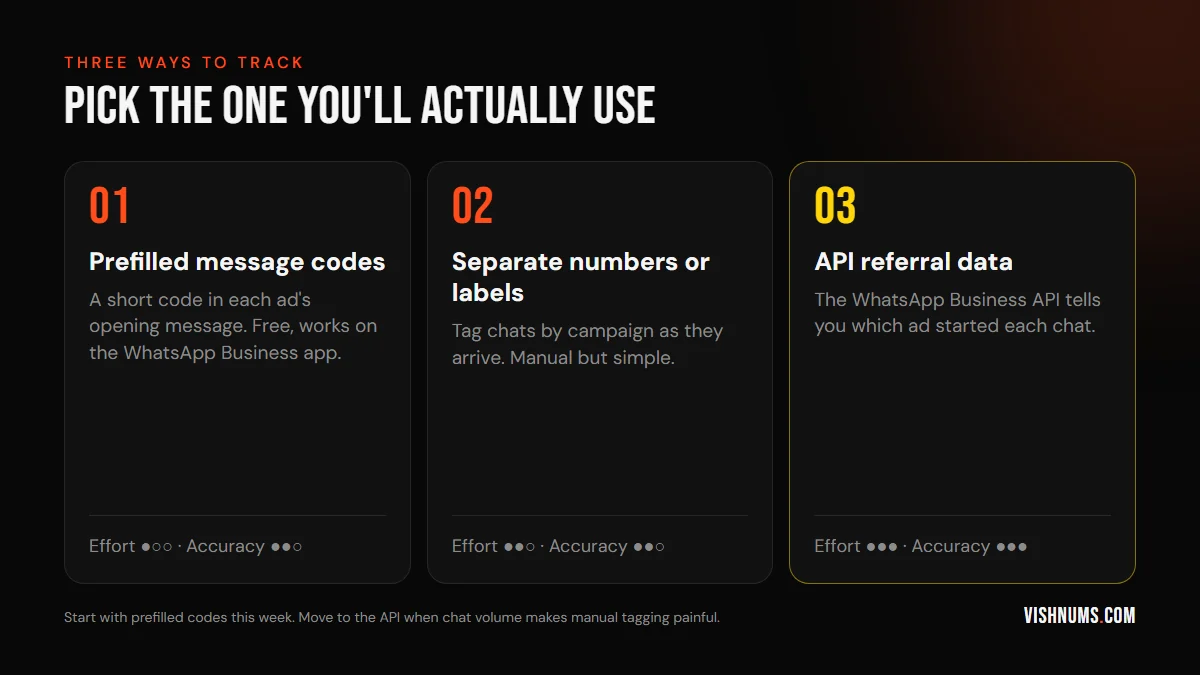
Method 1: Prefilled message codes (free, today)
When you create a click-to-WhatsApp ad, you can set the message that appears in the user's chat box when they tap your ad. Add a short code to it:
Hi! I'd like details about the Monsoon Package. (M12)
Use a different code for each campaign or creative, and keep a simple sheet that says what each code means. When the chat arrives, your team can see the code and record it with the lead.
Limits: some users delete the prefilled text before sending, and someone has to record the code. Still, it's free, it works on the normal WhatsApp Business app, and it's far better than nothing.
Method 2: Labels in the WhatsApp Business app
The WhatsApp Business app lets you label chats. Create a label for each campaign or offer and tag each new chat as it comes in, using the code from Method 1. You can then filter chats by label and count how many became customers.
This works well for a small team handling a manageable number of chats a day. It falls apart when several people share the inbox and nobody tags consistently.
Method 3: WhatsApp Business API referral data (most accurate)
If you use the WhatsApp Business Platform (the API), usually through a provider like Interakt, WATI, AiSensy or a CRM with WhatsApp built in, the first message from an ad arrives with referral information. This includes the ID of the ad that started the chat, plus a click ID Meta uses for attribution.
Your CRM can save that automatically with the lead. No codes, no manual tagging, no guessing. Most WhatsApp CRM tools in India can show you leads grouped by ad or campaign once this is switched on.
Close the loop: send sales back to Meta
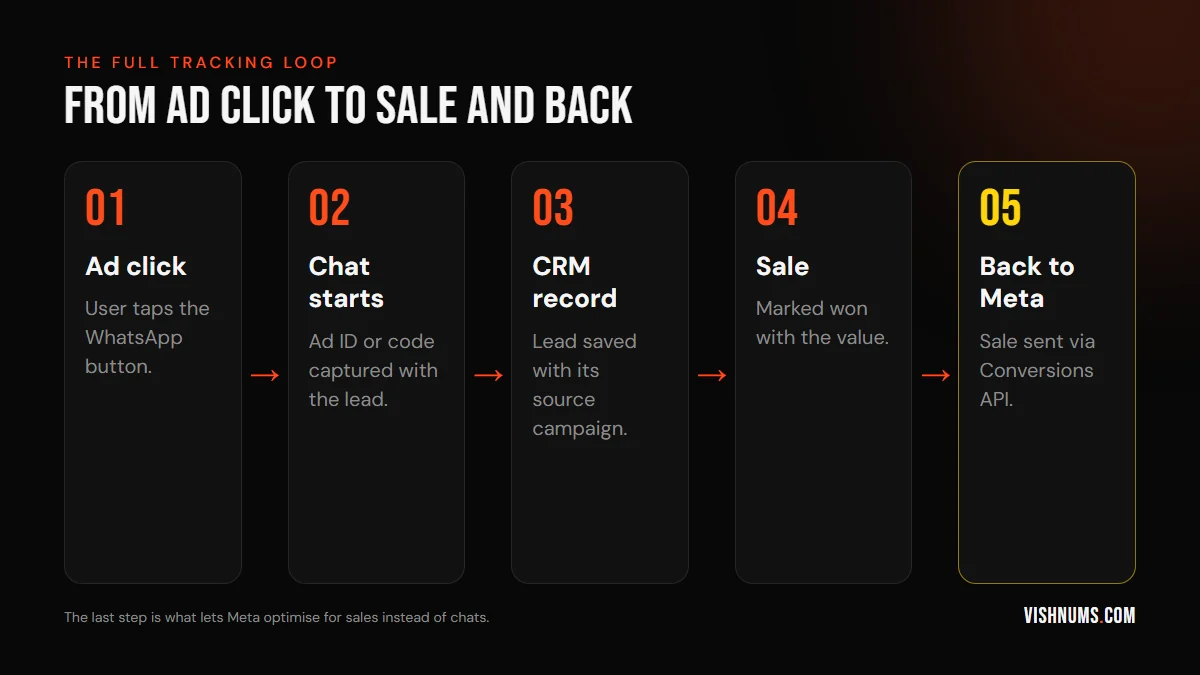
Knowing which ad brought each sale helps you. Telling Meta helps the algorithm. If Meta only knows about conversations, it finds more people who start conversations. If you send back the sales, it learns to find people who buy.
With the API, Meta's Conversions API for business messaging lets you send events like "lead qualified" or "purchase" for chats that came from ads. Even without the API, you can upload offline sales with the customer's phone number so Meta can match them. I walk through the CRM side in send CRM bookings to the Meta Conversions API.
A simple weekly report
Whichever method you use, review this every week, per campaign:
- 01Conversations started (from Ads Manager)
- 02Qualified leads
- 03Sales and their value
- 04Cost per sale
You'll quickly see that cost per conversation is a poor guide to which campaign is best. If many leads are going cold, the problem might be follow-up, not the ads. See Facebook ads leads but no sales and, for resorts, how to follow up resort enquiries.
Frequently asked questions
Can I see which Facebook ad a WhatsApp lead came from?
Yes. With the WhatsApp Business API, the first message from an ad includes the ad's ID. With the free WhatsApp Business app, use a unique code in each ad's prefilled message and record it with the lead.
Does the WhatsApp Business app show ad source?
Not in a way you can report on easily. Use prefilled message codes and chat labels, or move to the WhatsApp Business API through a provider for automatic source tracking.
How do I send WhatsApp sales back to Meta?
Through the Conversions API, either the version for business messaging if you use the WhatsApp API, or by uploading offline sales with phone numbers so Meta can match them.
Want your WhatsApp leads tracked from ad to sale? Get in touch.
Ads, a website that converts, or both: get a custom quote.