Meta Ads Account Audit Checklist: 25 Checks Before You Spend More
Before you raise your Meta budget, run these 25 checks across ownership, tracking, structure, creative and measurement. Most underperforming accounts fail on tracking and structure long before targeting.

When Meta Ads results disappoint, the instinct is to change the targeting or spend more. Usually that's the wrong move. Most of the accounts I review have problems in tracking, structure and measurement long before targeting matters.
Here's the checklist I use before recommending anyone increase their budget. It's grouped into five areas, in the order I check them.
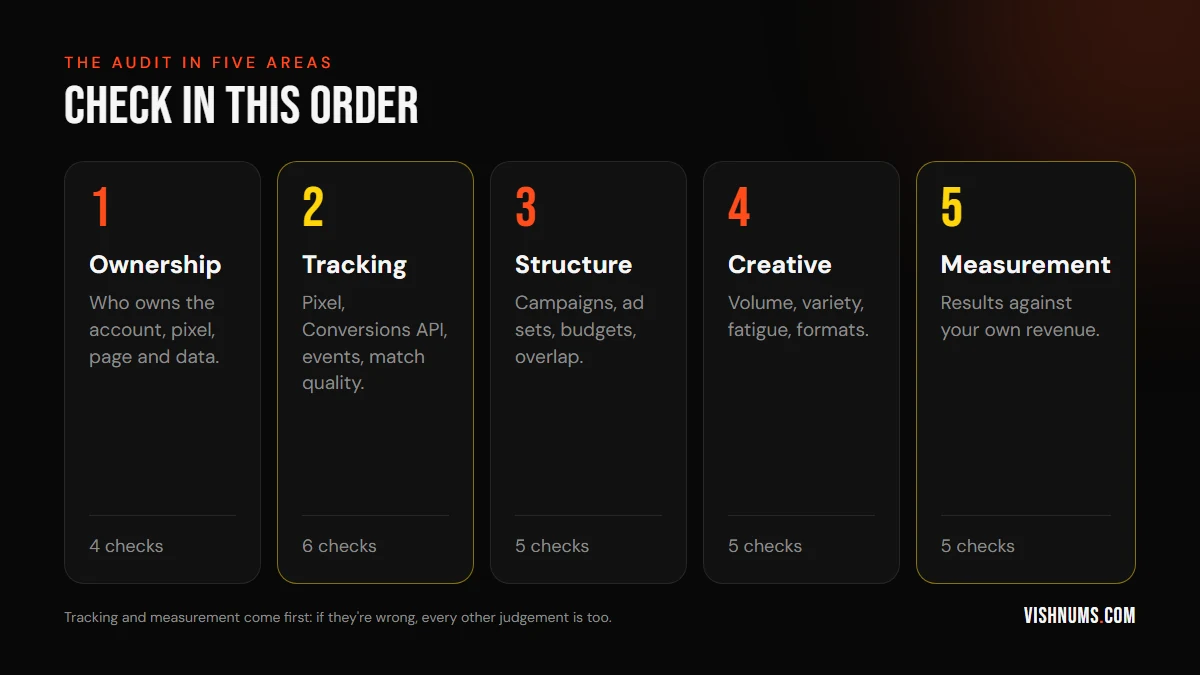
1. Ownership (4 checks)
- 01The Business Manager belongs to your business, not your agency or an ex-employee.
- 02The ad account is in your business's name, with your payment method. Check billing while you're there: a GSTIN on the account, and a payment setup that won't stop ads mid-campaign. See why Meta ad payments fail in India.
- 03The pixel (dataset) is owned by your Business Manager, so your data stays with you.
- 04Agencies and freelancers have partner access, not ownership. Remove anyone who no longer works with you.
These don't improve results directly, but if they're wrong, you could lose years of data in a dispute. More on this in my hiring questions guide.
2. Tracking (6 checks)
- 01The pixel fires on every key page, checked with Meta Pixel Helper or Events Manager's test events.
- 02The Conversions API is set up, so events aren't lost to browsers and iPhone privacy settings.
- 03Events aren't duplicated. Browser and server events share an event ID so Meta counts each purchase once.
- 04Purchase events carry the right value and currency, without GST or shipping errors that inflate ROAS.
- 05Event match quality is reasonable in Events Manager. Low quality usually means missing customer details.
- 06For lead businesses, CRM outcomes are sent back, so Meta learns which leads buy. Here's how to do it.
3. Structure (5 checks)
- 01Few campaigns, clear jobs. Usually prospecting, retargeting and maybe catalogue, not twenty campaigns for one product.
- 02Ad sets are funded well enough to learn. A rough guide is enough budget for around 50 optimisation events a week. See Learning Limited on small budgets.
- 03Audiences don't overlap heavily between ad sets competing against each other.
- 04Retargeting excludes recent purchasers and uses sensible windows. See retargeting windows for high-ticket products.
- 05The optimisation event matches the goal. Sales campaigns optimise for purchases, not link clicks or landing page views.
4. Creative (5 checks)
- 01Enough active creatives for Meta to choose from in each ad set.
- 02Variety of formats: Reels or short video, static images and carousels or catalogue.
- 03Variety of angles: different hooks, benefits, objections and proof, not the same ad in five colours.
- 04No fatigue: frequency, CTR and cost per result checked together. Here's how to read frequency.
- 05A testing rhythm: new creative going live every week or two, with winners and losers noted.
5. Measurement (5 checks)
- 01Results are checked against your own records: Shopify, the CRM or a booking system, not just Ads Manager.
- 02You know your break-even ROAS, including GST, shipping and returns. See break-even ROAS for Indian D2C brands.
- 03Every lead has an outcome (Won or Lost, with a reason), if you sell through leads.
- 04Reporting shows cost per sale by campaign, not only cost per lead or cost per click.
- 05Seasonality is accounted for. CPMs change through the year, so compare months fairly.
Why measurement comes first
In my experience, the most common failures are in measurement and tracking. An account that looks unprofitable in Ads Manager can turn out to be very profitable once it's measured against real revenue, and the reverse happens too.
For example, the Munnar resort I run ads for measures everything against bookings in its CRM. That's how we know its best month returned 5.9x and that Google leads book at more than three times the Meta rate. Without that, budget decisions would have been guesses. See the case study.
For the jewellery brand I manage, measuring against Shopify revenue showed its top campaign, catalogue retargeting, returning 12.51x, which is why it gets protected budget during festivals.
What to do with the results
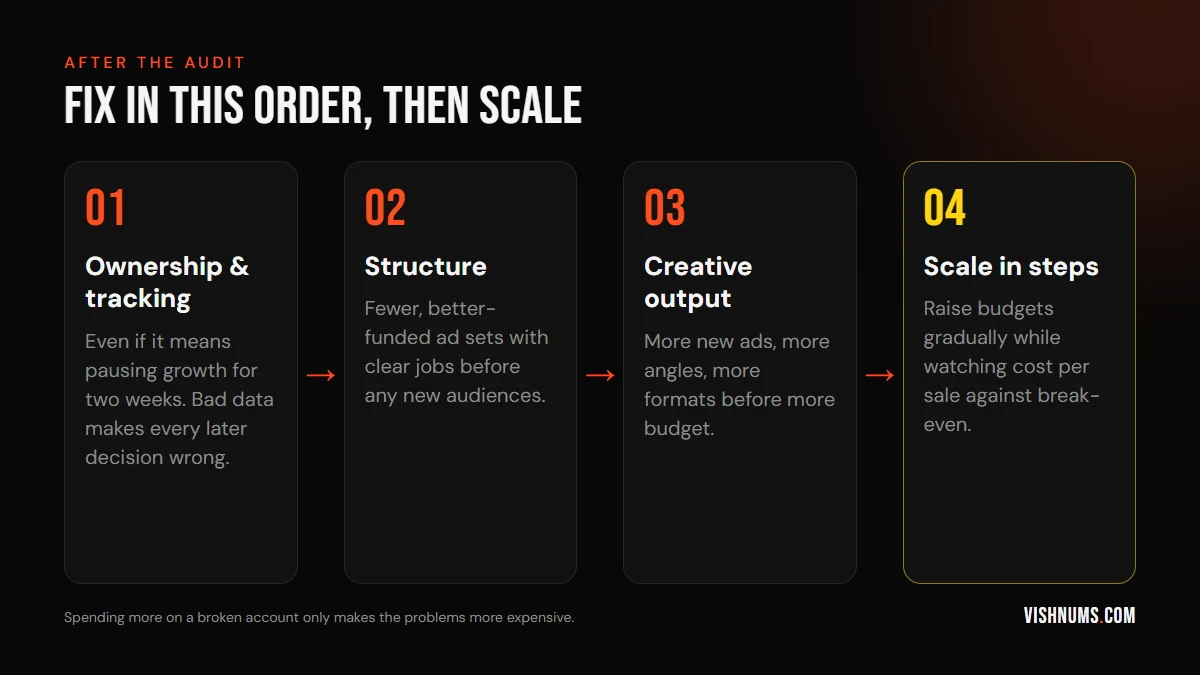
- Fix ownership and tracking first, even if it means pausing scaling for a couple of weeks.
- Simplify structure before testing new audiences.
- Increase creative output before increasing budget.
- Then scale, in steps, while watching cost per sale.
If the account runs on Advantage+, check how much spend goes to existing customers. I explain how in Advantage+ sales campaigns for small D2C brands.
Frequently asked questions
How often should I audit my Meta Ads account?
A full audit every quarter, and a quick check of tracking and creative fatigue every month. Always audit before a big budget increase or a festive campaign.
What is the most common Meta Ads mistake?
Judging performance only on Ads Manager numbers, without checking against real revenue in Shopify, a CRM or a booking system.
Can I audit my own Meta Ads account?
Yes. Work through this checklist in order. A second opinion helps most with tracking and measurement, where problems are easy to miss.
If you want to automate parts of this audit, a small dashboard helps. Here is how marketers can build their own with vibe coding.
Want me to run this audit on your account? Request a quote.
Ads, a website that converts, or both: get a custom quote.